


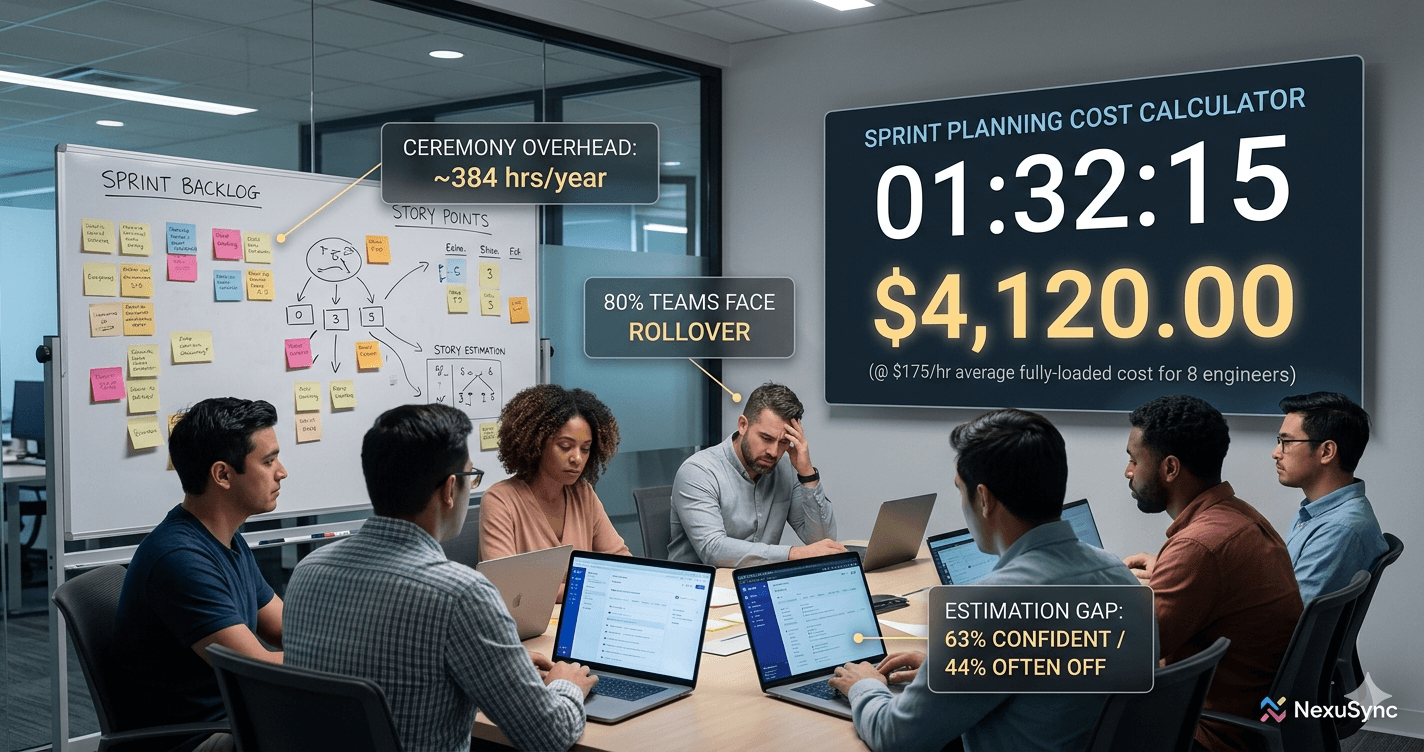
80% of agile teams move incomplete work to the next sprint every cycle (Easy Agile State of Team Alignment 2026, n=419 across 5 countries). That number hasn't improved despite better tools, better methodologies, and years of retrospective action items. The reason is structural: teams keep refining the ceremony without automating the mechanics underneath it.
Sprint planning automation isn't about removing human judgment from the room. It's about removing the work that doesn't require human judgment, story creation from scratch, manual capacity calculation, re-estimating rolled-over tickets, hunting for dependency conflicts. When those mechanics are automated, the planning meeting becomes a 30-minute review instead of a 2-hour creation event.

Why Fixed Sprint Cycles Break Modern Engineering Teams
This guide covers the seven phases of sprint planning automation in the sequence that produces the fastest results.
Key Takeaways
- 80% of teams experience sprint rollover; only 20% achieve minimal (0 to 10%) rollover, the root cause is planning mechanics, not team performance
- 63% of teams feel confident in their estimates; 44% are significantly off at least half the time (Easy Agile 2026, n=419)
- 85% of knowledge workers use AI at work; only 29% have embedded it in actual workflows (Atlassian State of Teams 2026)
- The top 14% of teams using AI for planning are 5.6× more likely to plan and prioritize effectively (Atlassian State of Teams 2026)
- A 7-phase automation stack reduces planning ceremony time from 2 hours to under 30 minutes for most engineering teams
Why Does Sprint Planning Keep Costing More Than It Should?
The problem isn't that teams don't try to improve sprint planning. The problem is where they focus the improvement. Most teams optimize the ceremony, shortening standups, running tighter retrospectives, adopting better estimation techniques. None of that addresses the root cause.
59% of teams still plan sprints in spreadsheets; only 33% use Jira's native sprint boards (Easy Agile, Feb 2026, n=419). 55% estimate in hours or days rather than relative complexity, the estimation method with the highest variance for knowledge work. Most teams are running a 2026 planning process on 2010 tooling assumptions.
The estimation confidence paradox illustrates this clearly. 63% of teams feel confident or very confident in their estimates, yet 44% regularly report tasks are significantly larger or smaller than estimated. That gap doesn't exist because teams are bad at estimation. It exists because the information environment at planning time is incomplete: teams don't have real capacity data, full dependency visibility, or historical patterns from similar work. Better estimation training doesn't close this gap. Better information, served automatically, does.
How to Cut Sprint Planning Overhead (And Recover $57K/Year)
What Sprint Planning Work Can Actually Be Automated?
Not everything in sprint planning should be automated. Some decisions genuinely require human judgment: what the team commits to, how to handle an ambiguous customer request, whether a technical risk is acceptable. Automating these would remove the accountability that makes sprint planning valuable.
What can be automated is the mechanical work that precedes and follows those decisions:
| Automatable | Requires Human Judgment |
|---|---|
| Issue triage and labeling at creation | Scope decisions and trade-offs |
| Duplicate detection | Technical risk assessment |
| Velocity calculation from history | Stakeholder priority negotiation |
| Capacity calculation from real availability | Architecture decision-making |
| Sprint composition from prioritized backlog | Context the team holds but didn't document |
| Rollover routing by priority tier | Commitment and accountability |
| Dependency conflict detection | Team-specific exceptions |
| Burndown anomaly alerts | Escalation decisions |
The principle: automate everything that produces inputs to a decision. Keep humans for the decisions themselves.
How Do You Prepare Your Backlog for Automation?
Automation fails on dirty data. Before you configure any sprint automation tool, the backlog must meet a definition of ready. This is Phase 1 and it's non-negotiable, AI cannot plan effectively from incomplete or inconsistently structured issues.
Phase 1: Establish Definition of Ready
Every issue that enters the sprint candidate pool must have:
- A clear title (action + object, not "Fix bug")
- Acceptance criteria (at least two testable conditions)
- Effort estimate (story points or T-shirt size, consistency matters more than method)
- Priority tier (P0 through P4 or equivalent)
- Owner (assigned team or individual)
Configure your issue tracker to enforce this at creation: Jira's mandatory field rules, Linear's issue templates, or ClickUp's custom fields block underdefined issues from entering the backlog automatically.
Phase 2: Establish Velocity Baseline
Pull your last 6 completed sprints' story point completions. Remove the outliers, weeks with incidents, vacation gaps, or mid-sprint scope pivots. Calculate your rolling average. Then set your sprint fill target at 85% of that number, not 100%. I've never seen a team that regretted the buffer. The unplanned work always shows up. Teams that plan at 85% capacity absorb it. Teams that plan at 100% generate the next sprint's rollover.
The Complete Guide to Continuous Planning for Software Teams
How Do You Automate Sprint Composition and Capacity Planning?
With a clean backlog and a velocity baseline, the sprint can now be composed automatically. This is where most of the ceremony overhead lives, and where automation delivers the most visible time savings.
Phase 3: Automate Backlog Grooming
Configure AI triage to handle issue classification continuously, not in a weekly ceremony. For teams building on top of existing tools, the major platforms each offer partial automation within their own ecosystem:
- Jira Intelligence: auto-generates user stories from epic descriptions, classifies issues by type, suggests labels and assignees based on historical patterns, and flags duplicate issues before they reach the grooming queue.
- Linear AI Triage: categorizes and routes incoming issues to the correct team and priority tier at submission time; Similar Issues Detection flags duplicates on creation.
- ClickUp Super Agents: triage agent processes incoming requests, updates priorities, and generates subtask breakdowns from epics automatically.
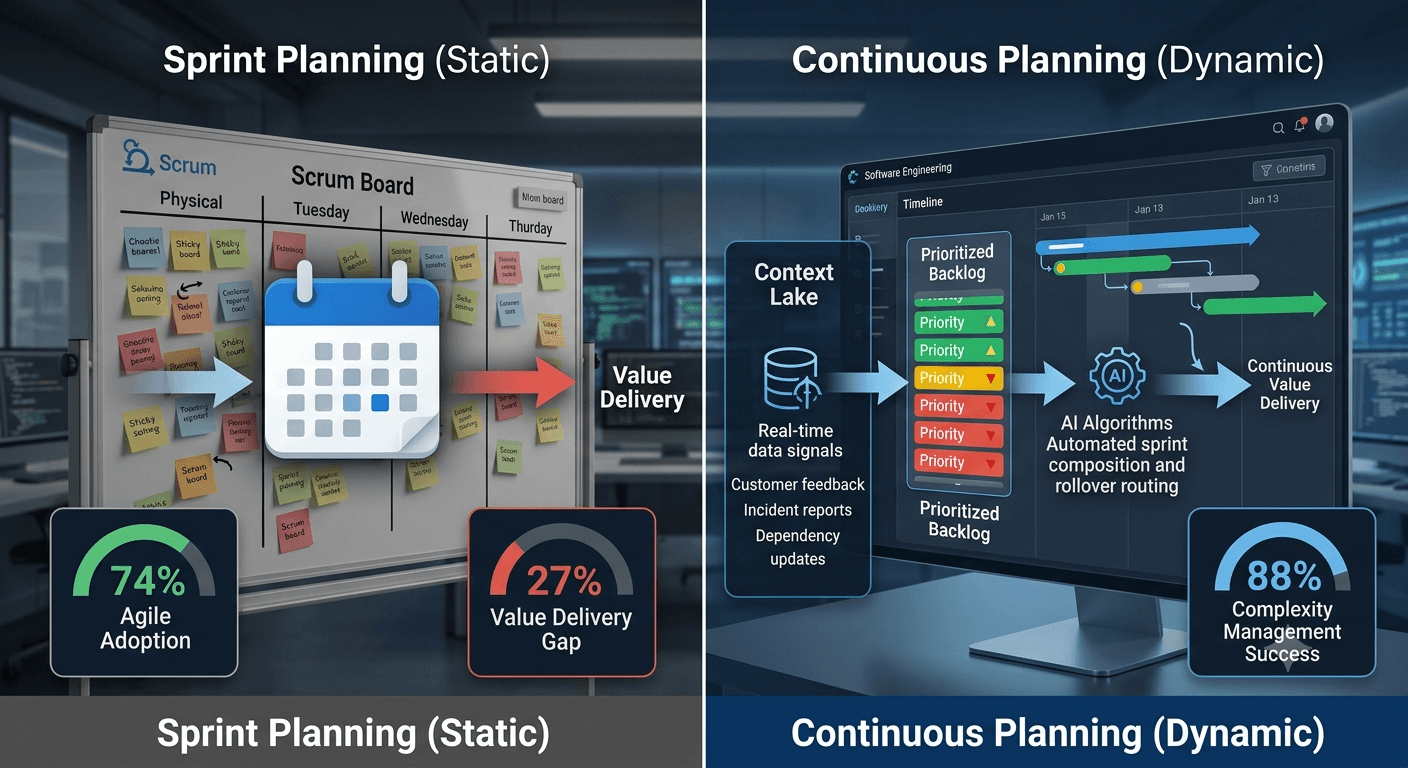
The limitation of the point-solution approach: each of these operates within its own platform. If your backlog spans multiple tools, or if triage needs to cross-reference PR history, retro patterns, or customer priorities, each tool is working in isolation. An AI-native planning platform maintains continuous backlog readiness across all sources as a single, unified pipeline.
The goal: by the time an issue appears in the sprint candidate pool, it's already triage-complete. Grooming becomes a 20-minute async review, not a 2-hour synchronous event where someone reads tickets aloud to a room that already knows what they say.
Phase 4: Automate Sprint Composition
With a fully-triaged backlog and a velocity baseline, sprint composition becomes a one-step operation. The key variable is how much context the composition engine can actually read:
- Zenhub Automated Sprints: pulls from the top of the prioritized backlog using your configured velocity target and pipeline filters; generates a sprint in one click.
- Jira Sprint Planning Assistant (Atlassian Intelligence): analyzes backlog state and historical velocity, then generates a recommended sprint composition for team review.
- ClickUp: sprint-fill automation rules auto-assign the top N items from a filtered backlog view.
The gap in all three: sprint composition is based on backlog state and velocity alone. Dependency conflicts, architectural constraints from ADRs, and customer priority signals aren't factored in, because those live outside the tool. An AI-native platform with a Context Lake generates sprint composition that accounts for all of it in a single pass, without manual cross-referencing.
Review the AI-generated sprint in a team session targeting 30 minutes. The conversation should focus on dependency conflicts and context the team holds that isn't documented. Everything else was already decided by the automation.
How Do You Automate Rollover and Mid-Sprint Replanning?
Sprint rollover is where most teams lose the most time, not because the rollover itself takes time, but because it triggers unplanned replanning in every subsequent sprint. Automating rollover routing eliminates that cascade.
Phase 5: Configure Rollover Rules by Priority
Establish explicit rules for what happens to each priority tier when a sprint closes with incomplete work:
- P0/P1 (critical): auto-carry forward to the top of the next sprint without team action. These items take priority regardless.
- P2/P3 (high/medium): flag for a 5-minute async triage, the owner confirms whether the item carries forward or returns to the backlog.
- P4 (low): automatically return to the backlog with no ceremony.
AI-native planning platforms handle this automatically at sprint close, no configuration required. For teams staying on legacy tools: Linear's Cycle Autopilot (March 2026) adds native rollover for some priority tiers; Jira automation rules can partially replicate the behavior with manual trigger-action setup. This change alone eliminates 60 to 70% of next-sprint planning conversation, which is currently dominated by "what do we do with the things that didn't finish?"
Phase 6: Automate Mid-Sprint Signals
Configure burndown anomaly detection to flag blocked work before it becomes rollover. The sophistication of the detection scales with the context available to the system. On existing tools, you're assembling this from multiple sources:
- Jira automation: trigger a Slack alert when an issue hasn't moved for 3+ days and is blocking other open issues.
- Linear: in-progress issues without recent activity surface in the Cycle view automatically.
- Geekbot or Spinach: replace daily standups with async AI-generated status digests that surface blocked items and velocity deviation.
The limitation of this approach: these tools detect signals and notify someone. A human still has to interpret and act. An AI-native planning system both detects the anomaly and surfaces a proposed replan automatically, so blocked work triggers a sprint adjustment before it becomes rollover, not just a Slack notification.
The goal is that blocked work gets visibility before the sprint ends, not in the retrospective after it's already become rollover.
Phase 7: Close the Loop with Retrospective Automation
70% of teams implement less than 60% of their retrospective action items (Easy Agile, Feb 2026, n=419). The reason isn't lack of intention, it's that action items live in a doc or Confluence page rather than in the system that governs the sprint. Automate the loop:
- At sprint close, auto-generate a velocity delta report: planned vs. completed, by issue type and owner.
- Convert every retro action item into a backlog issue at the moment it's created, not a document bullet.
- Deduct retro-driven technical debt work from the next sprint's available capacity automatically.
Which Tools Automate Which Parts of Sprint Planning?
Not every tool automates every phase. Here's where the major platforms actually deliver automation versus require manual configuration:
| Platform | Backlog Triage | Sprint Composition | Rollover | Dependency Detection | Retro Automation |
|---|---|---|---|---|---|
| Jira + Atlassian Intelligence | AI story generation, auto-labeling | Recommended sprint draft | Manual rules | Partial (JQL) | None native |
| Linear | AI triage, duplicate detection | Manual (no auto-fill) | Cycle Autopilot (March 2026) | Partial | None native |
| Zenhub | Manual | Automated Sprints + Predicted Sprints | Manual | Partial | None native |
| ClickUp Brain | Super Agents (triage + subtasks) | Super Agents + automation rules | Manual rules | Partial | None native |
| NexuSync Prism | Context Lake-powered, full auto | Full composition from Context Lake | Priority-based auto-routing | Full dependency graph | Sprint close reports |
The honest read: most tools automate one or two phases well. Full sprint planning automation, from triage through retrospective loop, currently requires either significant configuration work (Jira + Zenhub + Geekbot + custom rules) or an AI-native planning platform designed around the full workflow.
How Do You Know If Automation Is Working?
Track these four metrics for the first 6 sprints after implementing automation. If any metric moves in the wrong direction, diagnose before adding more automation, a problem at Phase 1 (dirty backlog) compounds at every subsequent phase.
Sprint completion rate. Target: 85%+. If you're below 70%, the capacity model is wrong. Fix the capacity input (Phase 2) before adjusting anything else.
Rollover rate. Baseline: 80% of teams. Target after 6 sprints: below 30%. If rollover isn't dropping, the rollover rules aren't configured or the priority tiers aren't being maintained.
Planning ceremony time. Track total hours: preparation, ceremony, and first-48-hour reactive replanning. Target: under 90 minutes total for a 6-person team. If ceremony time hasn't dropped by sprint 4, the sprint composition step is still manual.
Retro action completion. Baseline: below 60% for most teams. Target: above 75%. If retro actions aren't completing, they're not in the backlog, they're in a doc.

Frequently Asked Questions
What parts of sprint planning can AI actually automate?
AI currently handles well: issue triage and classification, duplicate detection, velocity-based sprint composition, rollover routing by priority, dependency conflict surfacing, and sprint summary generation. AI does not handle well: scope trade-off decisions, technical risk assessment requiring domain knowledge, stakeholder negotiation, or context that exists in team members' heads rather than in documented systems.
How much time does sprint planning automation actually save?
A 6-person team running two-week sprints spends approximately 8 to 12 hours per sprint on planning mechanics (ceremony, grooming, reactive replanning). Teams that implement all 7 phases of automation consistently report 60 to 75% reduction in that time, recovering 5 to 8 engineering hours per sprint. At a fully-loaded rate of $150/hr, that's $37,500 to $60,000 in recovered capacity per year for a 6-person team.
Will automation work if our backlog is a mess?
No. Automation amplifies whatever is in the backlog, dirty data produces bad sprint compositions and misleading velocity signals. Phase 1 (definition of ready + backlog cleanup) must precede any automation configuration. Expect to spend 1 to 2 sprints in cleanup before automation produces reliable output.
Can we automate sprint planning without replacing our current tools?
In most cases, yes. Jira, Linear, and ClickUp all support significant automation through native rules and AI features without a platform migration. The automation stack described here (backlog triage, sprint fill, rollover rules, burndown alerts) is achievable within most existing tool configurations. The exception is full context-aware planning, using your PR history, retros, and OKRs together, which requires a Context Lake integration or an AI-native planning platform.
What's the biggest mistake teams make when implementing sprint planning automation?
Starting with sprint composition (Phase 4) instead of backlog hygiene (Phase 1). If issues don't have complete, consistent fields, velocity-based sprint fill produces random-looking sprints that the team immediately overrides manually. The automation gets blamed when the real problem is input quality. Clean the backlog first. Run two sprints manually with the clean data. Then add automation.